Duckcraft 12 Unblocked
Explore, Craft, and Survive in a World of Blocks
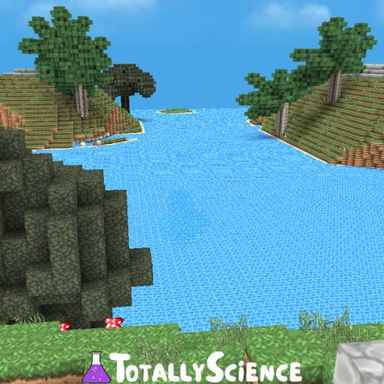
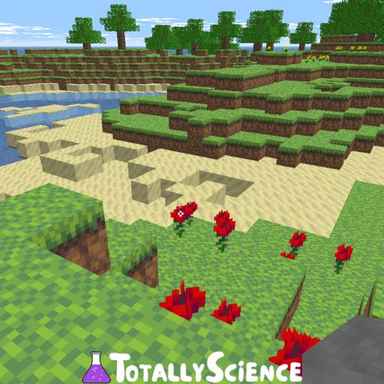
Duckcraft 12 Unblocked is a voxel sandbox game with survival crafting and live multiplayer servers. It offers players a mix of exploring, gathering, and building, either alone in a private world or alongside real players on Survival, Mystic, and PvP servers. Duckcraft 12 Unblocked's main objective is to collect resources, craft better tools and armor, and build whatever you can imagine!
✨ Game Overview
Duckcraft 12 Unblocked lets you chop trees, dig into caves, and turn raw materials into planks, crafting tables, furnaces, and full sets of gear. Play Singleplayer to create your own worlds that save right in your browser, or jump into Multiplayer to explore huge shared servers packed with castles and builds made by other players. You can even ride horses, row boats, and unlock advancements as you go!
🎮 How to Play Duckcraft 12 Unblocked
In Duckcraft 12 Unblocked, your main goal is to gather resources, craft useful items, and build up your world. Start by breaking logs into planks and sticks, make a crafting table, then work your way up to pickaxes, axes, and shovels made from cobblestone, iron, gold, or diamonds. Use the in-game Recipes menu to see what you can craft across Basics, Tools, Armor, Food, Building, Redstone, and Furnace categories.
Controls
- W / A / S / D or Arrow Keys: Move
- Mouse: Look around
- Space: Jump / Swim up
- Shift: Sneak / Get off a mount
- Ctrl or Double-Tap W: Sprint
- Left Mouse Button: Attack / Dig
- Right Mouse Button: Use / Place / Mount
- Middle Mouse Button: Pick a block
- Number Keys 1-9 or Mouse Wheel: Select hotbar slot
- Q: Drop item (Ctrl + Q drops a stack)
- E: Open inventory
- T or /: Open chat / commands
- V or F5: Change view
- L: Advancements
- Escape: Pause
🚀 Tips and Tricks
- Your first job should be turning logs into planks and a crafting table, since almost every tool and block recipe starts there.
- Singleplayer worlds are saved in your browser, so use the Export option to back up any world you don't want to lose.
- Check the ping next to each server before joining and pick the one with the lowest ms for smoother gameplay.
- Be careful with chat messages promising big giveaways for teleports and trades, and never hand over your valuable items to strangers.
🤔 FAQs
Can you play Duckcraft 12 Unblocked without other players?
Yes! Singleplayer runs entirely on your device with no server needed, and your worlds are kept in your browser so you can come back to them anytime.
How do you join a server in Duckcraft 12 Unblocked?
Click Multiplayer, choose a server like Survival, Mystic, or PvP, and press Join Server. Once you're in, use /login with your password, as the server chat prompts.
Similar Games
Did you like playing Duckcraft 12 Unblocked? You may also try out Eagle Duckcraft Unblocked! For additional unblocked game options, check out our Minecraft Games Unblocked page at the link. Don't forget to share your gaming experiences with us in the comments section below!